







8 Best Automated Trading Platforms Every Trader Should Know
Discover the 8 best automated trading platforms to streamline your strategy and trade smarter. Find the best automated trading platform now.
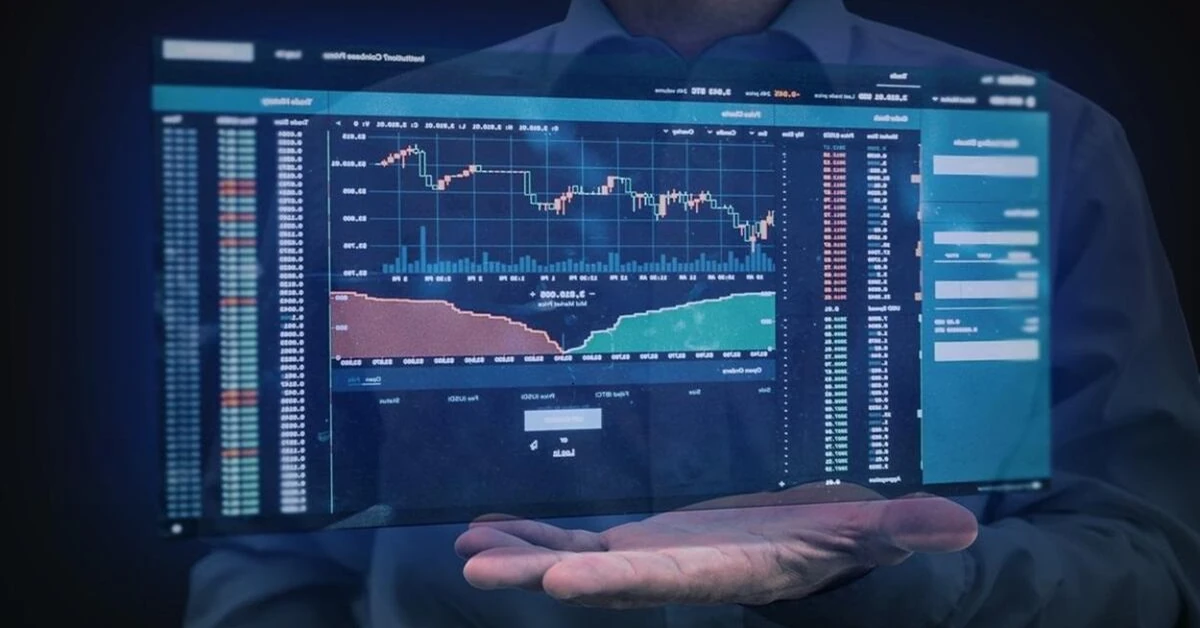

Forex runs 24 hours a day, while human attention runs closer to 8. Somewhere in the difference between those two numbers, setups appear, trigger, and vanish while a trader sleeps, works a day job, or simply steps away from the screen for lunch.
Automation exists to close exactly this space. A rule gets written once, a machine watches the market continuously, and the trade executes the instant conditions line up without reminders.
It gets even more interesting considering that electronic and automated execution now account for 59% of global foreign exchange turnover. The only question left is which tools a trader uses to move with it.
This guide explains how automated trading platforms work in plain terms, which features separate a serious platform from a flashy demo, and eight options worth knowing in 2026.
What Are Automated Trading Platforms?
An automated trading platform connects three working parts: a live data feed shows current prices, a rules engine checks market conditions against a trader's instructions, and an order-routing system sends trades to a broker the moment a rule triggers.
Here's the idea in practice:
-
A trader writes one instruction: buy EUR/USD when the 50-period moving average crosses above the 200-period average.
-
From then on, the platform checks this condition every second of every session.
-
The moment the crossover happens, the order fires, in milliseconds, without anyone touching a keyboard.
In simple terms, manual trading asks a person to watch, decide, and click fast enough, while automation removes all three steps. The watching happens continuously, decisions are made in advance, and clicks take effect at machine speed.
Who Benefits From Automation?
| Trader Type | How Automation Helps |
|---|---|
| Full-time employee trading part-time | Strategies execute during work hours, no screen time needed |
| Scalper | Orders fire in milliseconds, faster than any manual click |
| Swing trader | Entries and exits trigger overnight or on weekends without monitoring |
| Strategy developer | Ideas get tested against years of data before real money touches them |
| Emotional trader | Rules execute exactly as written, no fear or greed interfering mid-trade |
The removal of emotion from execution is arguably automation's largest single benefit for a beginner. A coded rule never widens a stop out of hope, skips a valid setup out of fear, nor does it double a position out of frustration. It simply does what it was told.
What Features Separate a Serious Platform From a Flashy One?
These are the key features to watch out for when comparing the best automated trading platforms:
-
Backtesting engine: Testing a rule against years of historical data, with spreads and commissions included, shows how a strategy would have performed before money is involved. Platforms that show a clean profit curve without modeling trading costs are mere fiction. A trustworthy backtesting engine includes the ugly parts: fees, slippage, and losing streaks.
-
Direct broker integration: The path from signal to execution needs to be short and reliable. For instance, a brilliant rules engine attached to a slow broker connection loses the speed advantage that automation is meant to provide.
-
API access for custom builders: An API trading platform lets advanced traders plug in their own risk models, external data feeds, or custom logic, something closed, visual-only systems can't offer.
-
A working kill switch: Every automated system needs an instant shutdown option because data feeds tend to glitch and it isn’t uncommon for markets to behave strangely. A platform without an immediate pause function becomes a liability the moment capital is involved.
-
No-code option (where needed): Plenty of traders have profitable ideas and zero programming background. Platforms that offer no-code trading automation through visual builders or pre-made templates open the door for exactly this group.
8 Best Automated Trading Platforms in 2026
Here are the top 8, sourced from the market's best and curated to fit different types of traders:
1. MetaTrader 5: Top Pick for Forex and CFD Traders Wanting Broad Broker Support
If broker compatibility sits at the top of your priority list, MetaTrader 5 remains the safest starting point in forex and CFD automation. Strategies here take the form of Expert Advisors (EAs), coded rule sets written in the platform's MQL5 language.
You build the EA, run it through MT5's built-in strategy tester using years of historical tick data, and deploy it live via any supported broker.
Two practical realities are worth knowing upfront:
-
Learning MQL5 takes time: If you have no coding experience, expect a learning curve before you can build or modify EAs confidently.
-
An EA only runs while your trading platform is online: To keep it trading 24/7, many traders use a Virtual Private Server (VPS), which keeps MetaTrader running even when their personal computer is turned off.
A large marketplace of pre-built EAs softens the first hurdle considerably, letting a beginner deploy tested strategies while learning to build their own. As a trading bot forex foundation, few platforms match the depth of community resources available here.
| Feature | Detail |
|---|---|
| Coding required | Yes, MQL5 |
| Broker support | Broadest in the forex/CFD space |
| Backtesting | Built-in tester with historical tick data |
| Pre-built strategies | Large EA marketplace available |
| Downside | Learning curve; requires machine uptime or a VPS |
2. TradingView: Ideal for Traders Who Want Charting-First Automation
When someone already spends hours a day inside TradingView's charts, extending the same workspace into automation feels like a natural next step. Pine Script, the platform's built-in language, carries a far gentler learning curve compared to full programming languages, and strategies get backtested directly on the chart itself against historical price data.
One structural limit applies: full hands-off execution isn't native. Alerts fire the moment conditions trigger, but placing the actual trade requires connecting those alerts to a broker or an external automation service.
What offsets this is community scale. Thousands of free (shared) scripts and indicators mean a beginner rarely starts from a blank page here.
| Feature | Detail |
|---|---|
| Coding required | Pine Script, beginner-friendly |
| Broker support | Through connected third-party services |
| Backtesting | Chart-integrated, visual and fast |
| community | Massive shared script library |
| Downside | Execution needs an external connection |
3. cTrader: Good Appeal for Traders Wanting a Cleaner Algo Environment
Traders arriving from a software background outside finance tend to feel at home here quickly. cTrader's automation suite, cAlgo, uses C#, a mainstream language millions of developers already know, which removes the need to learn a niche one.
Strategies test against historical data with depth-of-market transparency on supported brokers. This gives a clearer picture of order-book behavior compared to some rivals.
The honest tradeoff is that fewer brokers support cTrader compared to MetaTrader, narrowing your choice. For a trader who values a modern development environment over maximum broker availability, the platform holds up well.
| Feature | Detail |
|---|---|
| Coding required | C# via cAlgo |
| Broker support | Narrower, growing steadily |
| Backtesting | Historical testing with depth-of-market data |
| Standout | Mainstream language, modern environment |
| Downside | Limited broker pool |
4. NinjaTrader: Top Pick for Multi-Asset Traders Keen on Indicators
Consider a trader running one strategy on index futures, another on forex pairs, and a third on equities, all managed from a single interface. NinjaTrader handles exactly this workload.
Strategies get built through NinjaScript for coders or a visual builder for everyone else, then tested against historical replay data before going live.
Over 100 indicators come built in, alongside order-flow analysis tools competing platforms typically charge extra for. Futures and equities sit closest to the platform's core design; forex works here too, though a dedicated forex platform serves currency-only traders slightly better.
| Feature | Detail |
|---|---|
| Coding required | NinjaScript, or visual builder (no code) |
| Asset coverage | Futures, equities, forex |
| Backtesting | Historical replay with order-flow tools |
| Indicators | 100+ built in |
| Downside | Forex secondary to futures/equities focus |
5. TradeStation: Option for Accessible Scripting and Competitive Pricing
Anyone intimidated by full programming languages tends to find EasyLanguage, TradeStation's proprietary scripting tool, a softer landing. The language reads closer to plain English compared to C# or MQL5, thus lowering the barrier for a first coded strategy considerably.
Detailed optimization testing runs against historical performance data, and per-trade pricing stays competitive for active traders.
Coverage leans clearly toward equities, options, and futures. Forex and crypto exist here but sit noticeably thinner compared to specialist platforms. In essence, it is more suited for a stocks-and-options automator specifically.
| Feature | Detail |
|---|---|
| Coding required | EasyLanguage, highly accessible |
| Asset coverage | Equities, options, futures |
| Backtesting | Detailed, with optimization tools |
| Pricing | Competitive for active traders |
| Downside | Thin forex and crypto coverage |
6. Interactive Brokers (TWS API): Strong Global Market Access Appeal
Think about a strategy needing to route orders across US equities, European futures, and Asian currency markets from one account. Interactive Brokers handles this scope better compared to nearly any retail-accessible platform.
Its API supports Python, Java, and C++, which lets advanced traders build fully custom execution logic. There are also built-in algorithmic order types that cover timing and volume distribution automatically.
The learning curve here runs steep, and the interface overwhelms newcomers regularly. For an API trading platform with institutional-grade order routing across global markets, this depth has few real rivals at the retail level.
| Feature | Detail |
|---|---|
| Coding required | API access, Python/Java/C++ |
| Asset coverage | Global, virtually all major markets |
| Backtesting | Via API and third-party integrations |
| Order types | Advanced algorithmic types built in |
| Downside | Steep learning curve, dense interface |
7. QuantConnect: Top Pick for Coders Seeking Cloud-Based, Multi-Asset Research
If you are fluent in Python or C#, QuantConnect offers something rare: institutional-grade historical data across equities, forex, futures, options, and crypto, accessible through a FREE cloud research environment.
Nothing needs installing locally; backtests run on QuantConnect's servers, and the data library alone would cost a serious amount if purchased separately.
The platform assumes coding fluency from day one. Visual builders and no-code paths barely exist here, so beginners without a programming background should start elsewhere and return later. Serious quantitative researchers, though, get one of the strongest free toolkits available anywhere.
| Feature | Detail |
|---|---|
| Coding required | Python or C#, fluency expected |
| Asset coverage | Equities, forex, futures, options, crypto |
| Backtesting | Institutional-grade data, cloud-based |
| Cost | Free compute tier available |
| Downside | Assumes real coding skill |
- 3Commas: Ideal for Crypto Traders Wanting No-Code Bot Automation
Say a trader's automation ambitions live entirely inside crypto markets, and writing code holds zero appeal. 3Commas answers this exact situation with:
- Pre-built bot templates
- Grid trading
- Dollar-cost averaging and similar strategies
All deployable across major exchanges through direct API connections without one line of code written.
However, everything stays crypto-only. Forex, indices, and equities have no presence here at all. Within its lane, though, it represents some of the cleanest no-code trading automation available for a non-programmer.
| Feature | Detail |
|---|---|
| Coding required | None, template-based |
| Asset coverage | Cryptocurrency only |
| Backtesting | Available on select templates |
| Exchange support | Direct API to major crypto exchanges |
| Downside | No forex, indices, or equities |
Comparison at a Glance
| Platform | Best For | Coding Needed | Primary Markets |
|---|---|---|---|
| MetaTrader 5 | Broadest forex/CFD broker support | MQL5 | Forex, CFDs, metals |
| TradingView | Charting-first automation | Pine Script | All major markets |
| cTrader | Cleaner algo environment | C# | Forex, CFDs |
| NinjaTrader | Multi-asset depth | NinjaScript or none | Futures, equities, fore |
| TradeStation | Accessible scripting | EasyLanguage | Equities, options, futures |
| Interactive Brokers | Global market access | Python/Java/C++ | Virtually all markets |
| QuantConnect | Cloud quant research | Python/C# | Multi-asset incl. crypto |
| 3Commas | No-code crypto bots | None | Crypto only |
How to Choose the Right Platform that Suits You
Still curious about the right choice amongst the best 8 automated trading platforms? Here is a quick summary that structures each to different trading needs:
-
Complete beginner, no coding background: start with TradingView's Pine Script or a no-code trading automation option like 3Commas (crypto) or NinjaTrader's visual builder. Build confidence with pre-made templates before writing anything custom.
-
Forex or CFD focus: MetaTrader 5 or cTrader, full stop. Broker support, community depth, and algorithmic trading software resources for currency markets concentrate heavily on these two.
-
Multi-market ambitions: NinjaTrader for a visual-friendly path, QuantConnect or Interactive Brokers for a code-heavy one.
-
Testing before spending: every platform listed here offers either a free tier or a demo environment. Run any strategy through a proper backtesting engine and a demo phase before capital enters the picture.
Key Takeaways
-
Automated trading platforms execute rules at machine speed around the clock, closing the gap between a strategy existing and a strategy actually firing when conditions align.
-
Electronic execution now handles 59% of global FX turnover per the BIS 2025 Triennial Survey. This suggests automation is the market's current shape, not a future trend.
-
A serious backtesting engine models spreads, commissions, and slippage; anything showing only a clean profit curve is marketing rather than analysis.
-
Coding is optional. No-code trading automation through 3Commas, NinjaTrader's visual builder, or TradingView templates opens automation to non-programmers entirely.
-
Platform choice follows market focus: MT5 and cTrader for forex/CFDs, NinjaTrader for multi-asset work, QuantConnect and Interactive Brokers for code-heavy global strategies.
A Platform for the Strategy & Capital for Scaling
Coding and testing an automated strategy can take hundreds of hours, but its earning potential still depends on the size of the account trading it. For instance, a strategy producing 5% monthly returns means $50 on a $1,000 account. The identical code and edge means $2,500 on $50,000.
Goat Funded Trader (GFT) removes exactly this ceiling. Funded accounts reach $400,000 combined across active accounts, accessed through four paths built for different starting points.
-
Beginners still refining an approach can work through a 1-Step, 2-Step, or 3-Step Challenge at their own pace.
-
Experienced strategy builders with proven systems can skip evaluation entirely through Instant Funding and put automation to work the same day.
Platform support matters specifically for automated traders here. MT5 and cTrader, the two largest homes for EA and cBot automation covered in this guide, both run natively at GFT. This is also alongside MatchTrader, TradeLocker, and Volumetrica FX, which contains 500+ crypto pairs.
You will access markets that span forex, crypto, indices, metals, commodities, and CFDs, wide enough for multi-asset automation from one funded account. There is no consistency requirement that applies to any evaluation model, so an automated system's occasional standout day counts in full.
News trading and weekend holding stays permitted, while payouts arrive bi-weekly with an on-demand add-on available. This is protected by a two-business-day guarantee paying an extra $1,000 if the window slips.
Ready to get started? The process is easy. Click here to choose your funding model, access a wide market, and start trading immediately.
Frequently Asked Questions (FAQs)
Can an automated strategy run on a phone, or does it need a computer?
Monitoring works fine from mobile apps on nearly every platform listed. Actual strategy execution needs a continuously running environment, either a desktop left on or a cloud-based virtual private server. However, cloud options remove the home-computer dependency entirely for a small monthly cost. This option keeps strategies live during power cuts and travel.
How much does a virtual private server cost for running an EA continuously?
Entry-level VPS plans suited to processing one or two Expert Advisors range from $10 to $30 monthly, with trading-optimized providers that offer low-latency locations near major broker servers. Heavier setups running several strategies across multiple accounts may need $50+ tiers with more memory and processing headroom.
Do automated strategies stop working over time?
Market conditions shift, and a rule built for one environment can lose its edge when volatility, spreads, or liquidity change. Periodic re-testing against recent data, followed by measured adjustments, keeps a strategy aligned with current conditions. The mistake you should avoid is treating automation as a build-once-forget-forever thought.
Is automated trading legal for retail traders?
Yes, across all major jurisdictions, automation itself is fully legal for individuals. Restrictions apply at the platform and broker level. Also, some prohibit specific practices like latency arbitrage or certain high-frequency techniques. To avoid any form of violation, it is best to read a broker's automated-trading policy before deployment.
Be Great and get the App